
Project name: Kenza (https://github.com/Kenza-AI/)
Responsibilities: Product design, UX research, UI & Interaction design, Strategy, Branding
Platform: Web
Duration: 2017 – 2018
Launched: November 2017 (Alpha)
Overview
When it comes to machine learning, machine learning models are often difficult to implement, share and deploy. Provisioning infrastructure and tuning these models can be a painful process. Tracking algorithms, parameters & metrics for ML models is a manual and error-prone process and dealing with infrastructure, deployment & version control takes significant time. Kenza is a tool for teams to train, evaluate, and deploy machine learning systems at scale, without being intrusive to their code.
My role in Kenza as a co-founder and product designer, was to lead the product design and branding of Kenza. I worked together with a product manager, a software engineer and a machine learning engineer. During the course of the project, I delivered user research reports, user flows, low and high fidelity designs, interactive prototypes, branding guidelines.
The alpha version focused on a better and easier training and evaluation workflow with the ultimate goal to drastically accelerate the machine learning efforts of engineers and allow them to add machine learning to their production applications quickly. We aimed to make Kenza a continuous integration service that enables data scientists, developers, and machine learning practitioners to quickly build, train, and deploy machine learning models at scale.
Kenza won the third place in ProductHunt’s Global Hackathon in 2017 and over 400 ML practitioners signed up for the alpha version.
Check out Kenza flows and UI designs in Invision.
The problem and the solution
Back in 2017, I was asked by two colleagues if I’d like to join them on a side project they wanted to start. It was about a tool for teams to train, evaluate, and deploy machine learning systems at scale. That rang no bells at all to me, but what stuck with me was the way the machine learning engineer of the team described the problem he had in his day-to-day. It went something like this:
“I was at the office the other day, thinking of what algorithm I should use for that new task I had. I remembered that I did something similar a while back, but the details escaped me… I didn’t remember the parameters I used..and I didn’t remember if it actually worked in the end. I did remember that I had scribbled the details on a paper, which I could no longer find.”
I really didn’t understand what training jobs were or how you could compare them, but the core of the problem was something I could relate with.
It was a problem of organizing and visualizing complex information, being able to keep a history and go back to something useful, being able to collaborate with others. And that, was a problem that I found intriguing.
It was a huge challenge for me to design for a domain that was so technical and specific and it took a lot of studying and many questions to get closer to the heart of the problem.
The first step for me was to understand what and who I’m designing for. I started my research with user observation; I wanted to see what a machine learning engineer’s workflow looks like, how they jump from one tab to the other in their browser, from Github to Google, how they write and run their code, how they decide what parameters to set in their algorithms, what they do while they’re waiting for the deployment, how they compare algorithms.
After I had a better understanding of the problem, I created wireframes, so that we could have a starting point for discussing with the team. The wireframes outlined the skeleton of the application with projects and training jobs under projects which could be re-run with different parameters.
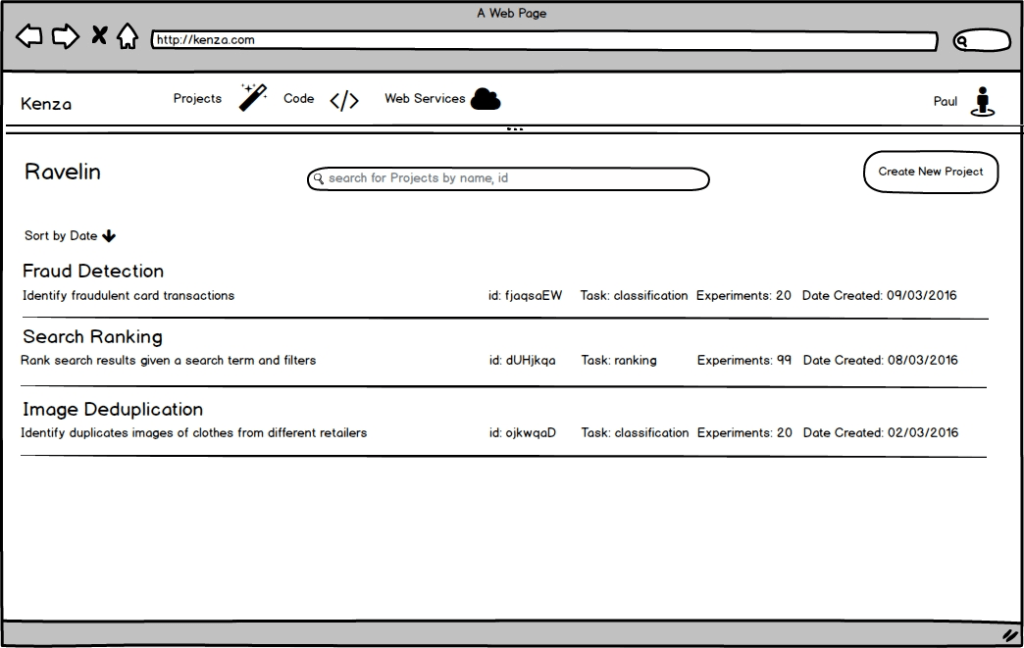
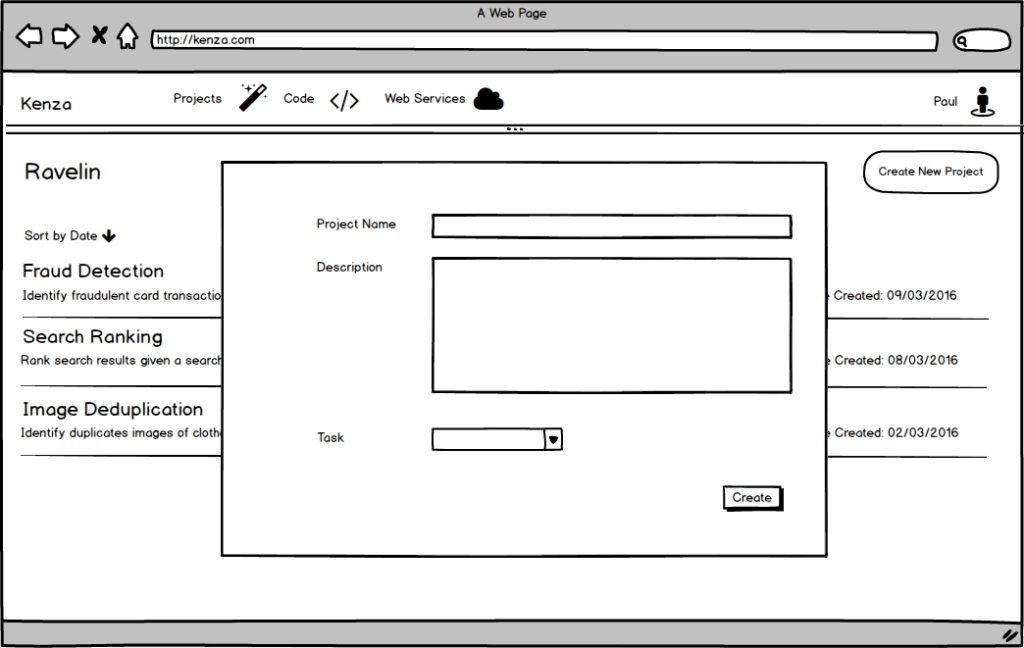
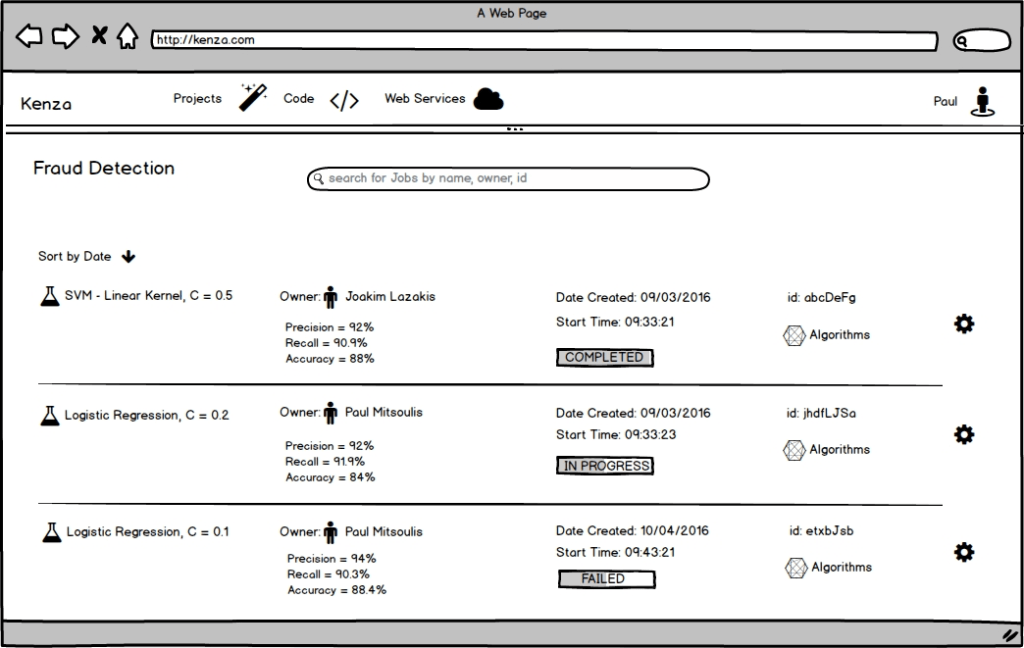
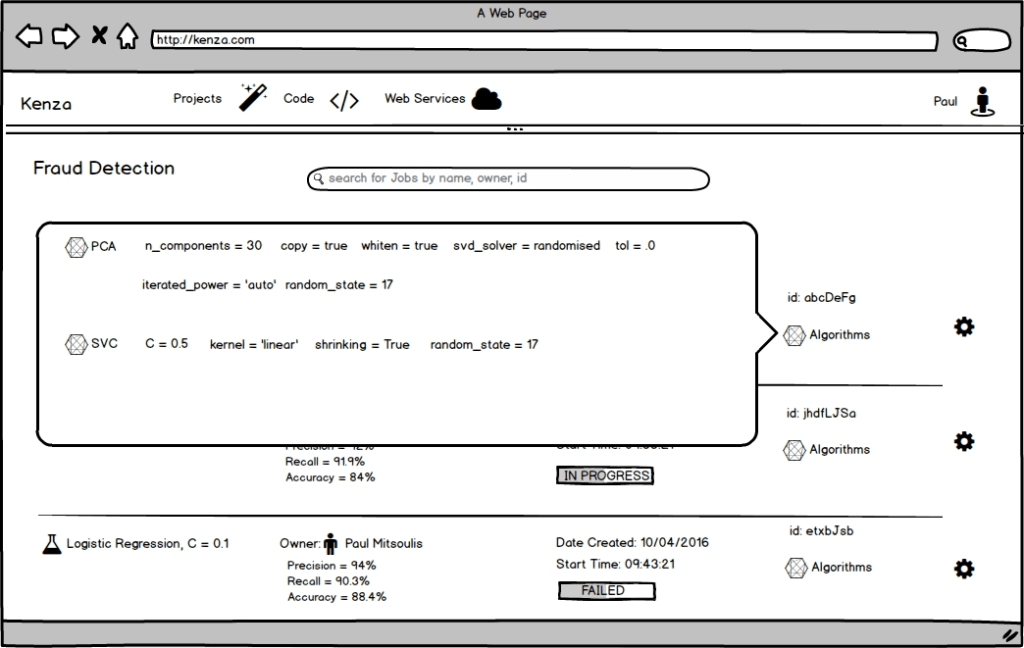
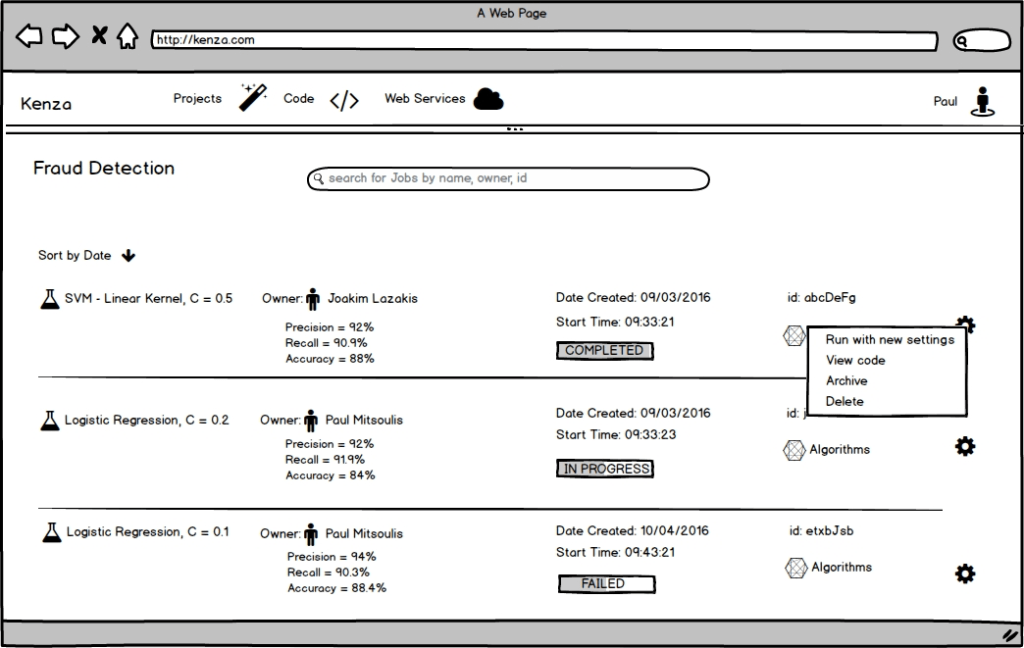
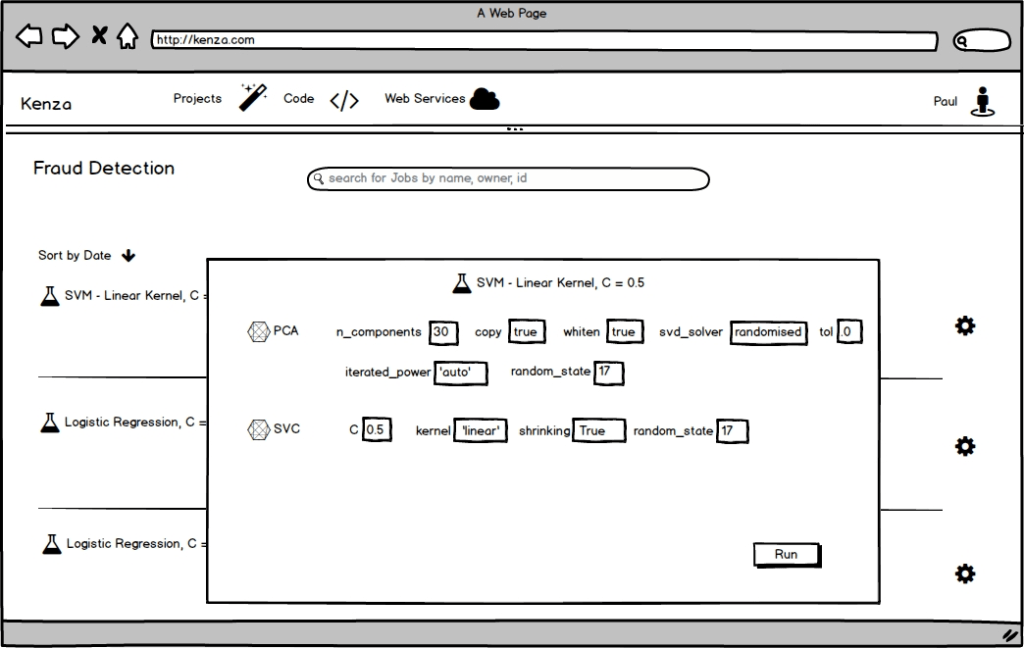
These wireframes helped me and the team to put the problem into perspective and decide what our first goals were and how we’d reach them. I designed the user experience for the Alpha version, that focused on creating projects and comparing training jobs. Finding ways to compare and visualize data in an elegant and straightforward manner was the most challenging part for the UI design.
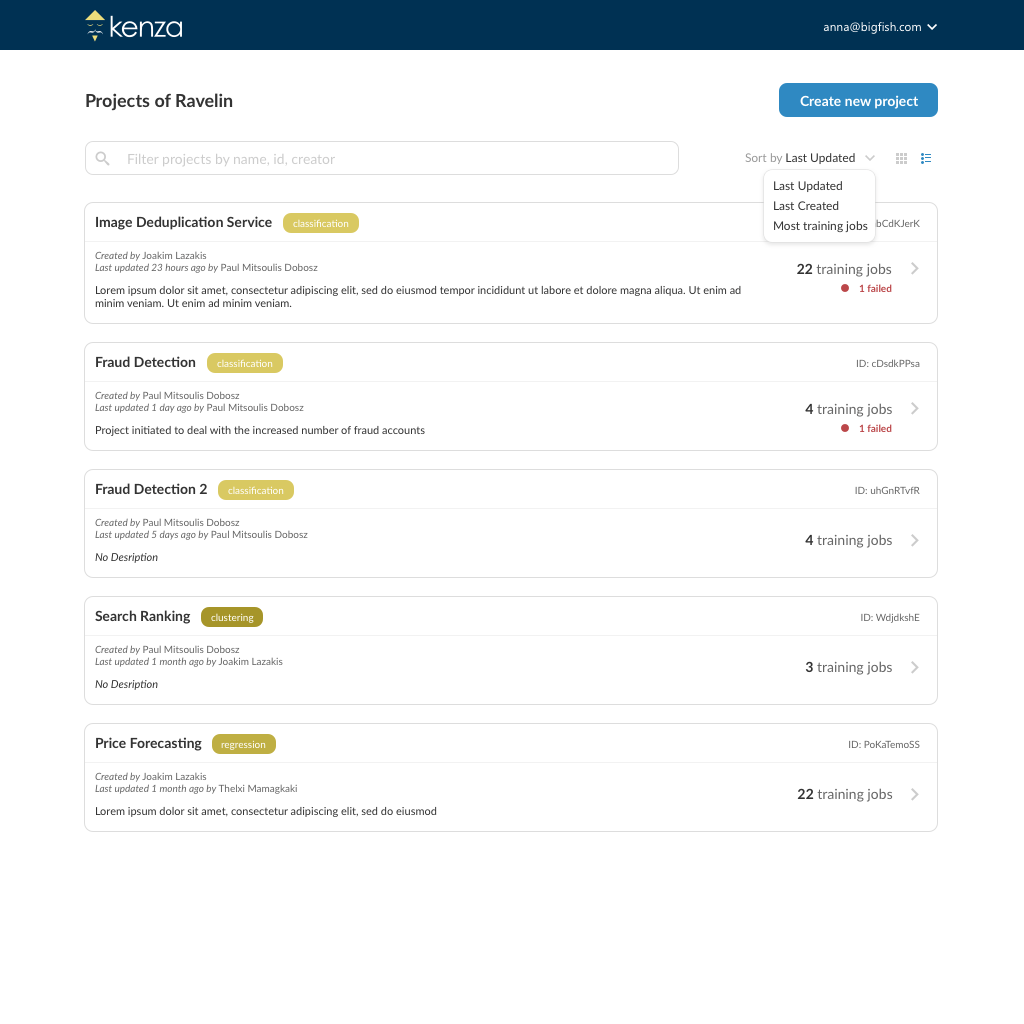
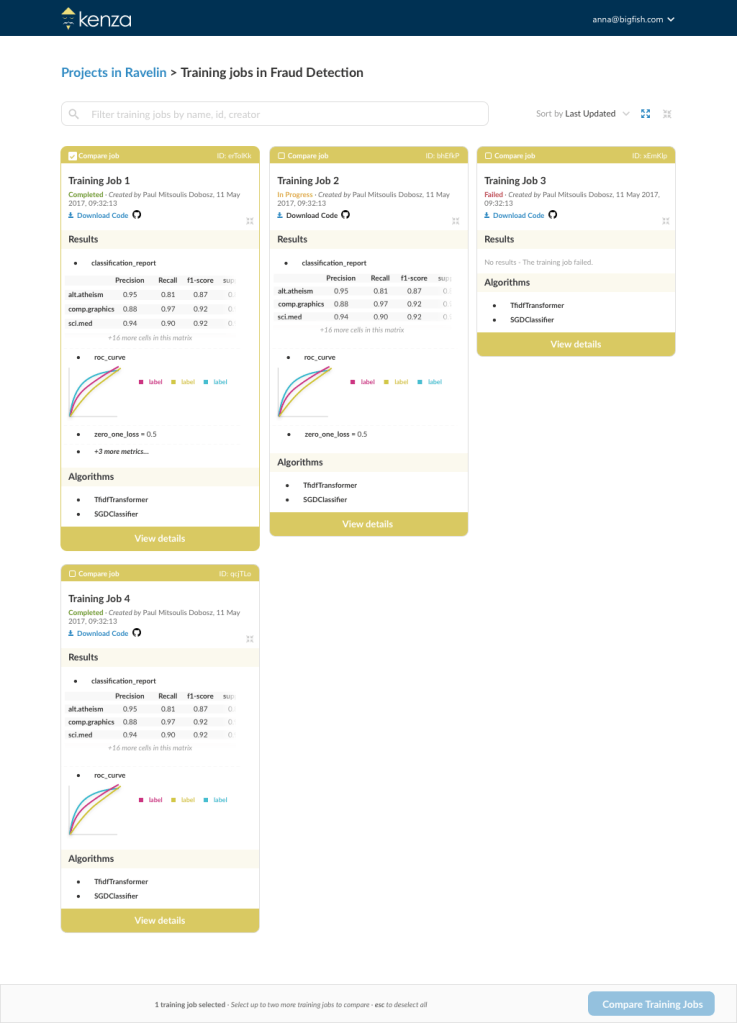
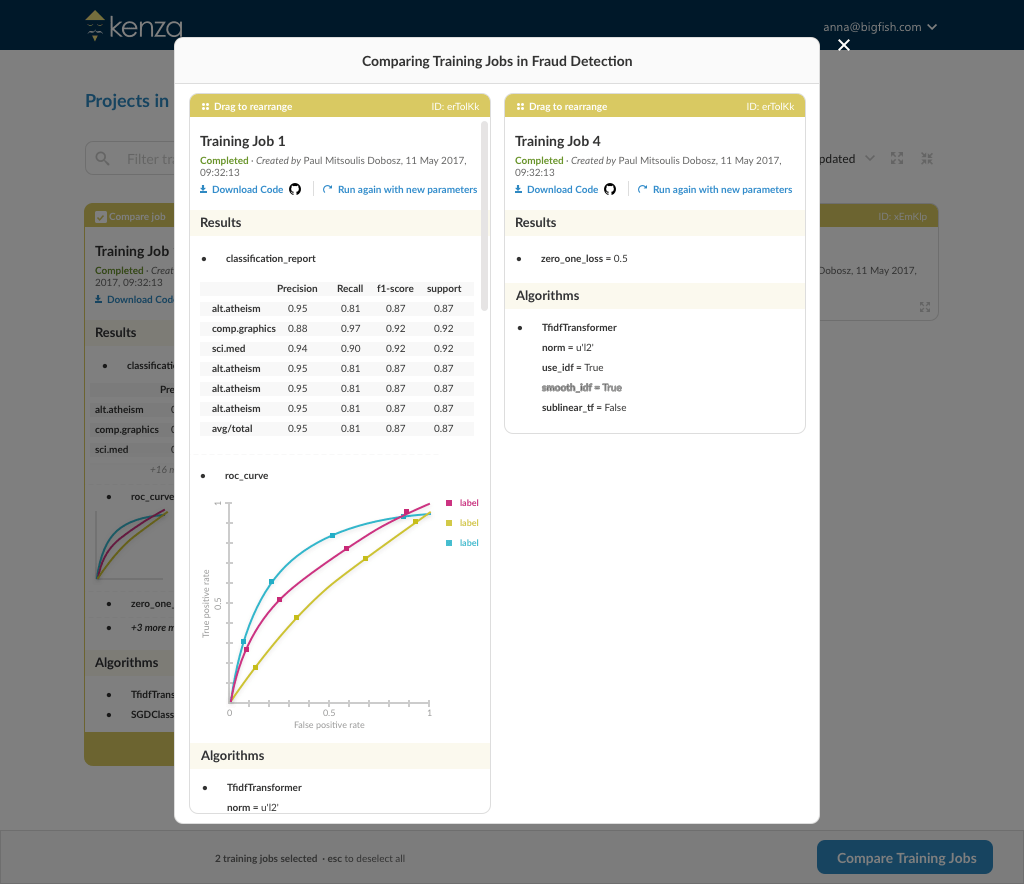
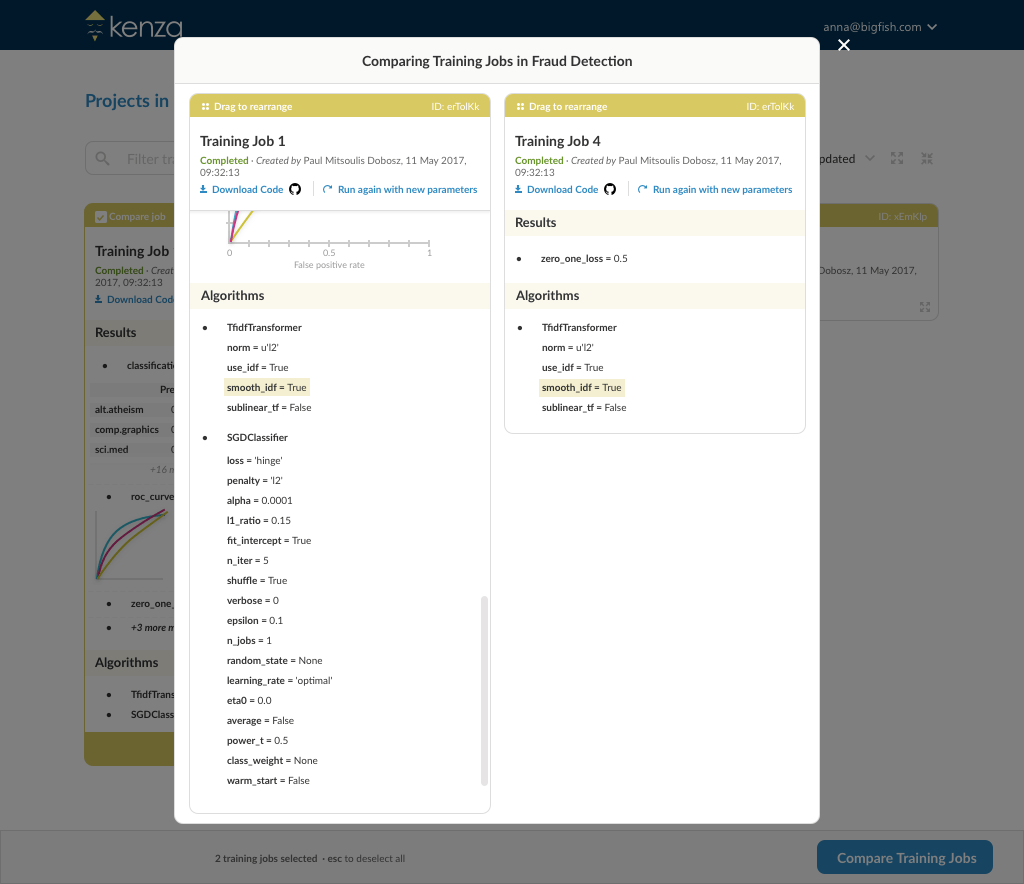
At this point it was important to get user feedback, so we gave access to 30 engineers to use and experiment with the Alpha version of Kenza. With this user group, we run a survey to get to know more about their workflow and the tools they use. We also conducted mini-interviews, to get a better idea on their everyday problems when training and deploying ML models. This valuable information shaped the next iteration of my designs.
Check out Kenza flows and UI designs in Invision.
With Kenza, we took part in ProductHunt’s Global Hackathon 2017 and won the third place 🙂
 Thelxi Mamagkaki